

Why local businesses must treat Google Local Ads and AI outputs as inseparable and fragile
In 2026, if you own a local business, you know that showing up where your customers are searching is everything.

That’s where Google Local Ads come in. These ads are more than just simple listings; they are a vital part of your local marketing strategy, helping potential customers find your store, service, or office right when they need you. Think of them as the front door to your business in the digital world. They work hand in hand with your overall local SEO efforts, ensuring your business stands out online.
However, the world of digital advertising is always changing, and one of the biggest changes we’ve seen lately is the widespread use of Artificial Intelligence (AI) to create ads and content. Many businesses now use AI to write catchy ad copies for their Google Local Ads and even help with their website’s landing page design. AI can draft descriptions, suggest keywords, and even personalize messages to draw in more customers. This means that Google Local Ads and AI outputs are now deeply linked for many local businesses. In fact, Google’s Performance Max product, which helps manage these ads, places them across many Google spots like Search and YouTube (Check My Ads Institute Written Testimony in support of S.71).
While AI offers amazing speed and efficiency, it also brings a big risk: AI hallucinations. An AI hallucination happens when the AI makes up information that sounds correct but is actually false or misleading. For your Google Local Ads, this could mean incorrect business hours, wrong service details, or even misleading offers. Such inaccuracies can severely harm your business’s reputation and lead to frustration for potential customers. Imagine someone driving to your store because an AI-generated ad showed the wrong opening time. That’s not just a lost sale; it’s a damaged relationship.
The accuracy of your ads is extremely important for turning clicks into customers. If your ads contain errors, even small ones, people are less likely to trust your business. This can hurt your conversion rates, meaning fewer people become paying customers. Keeping your ad information truthful and precise is crucial for keeping your good name and ensuring your marketing efforts pay off. You need to know how to spot these errors quickly. Learn more about how to detect AI hallucinations before they hurt your reputation. It’s clear that while AI helps create powerful local ads, its outputs must be checked carefully. You simply can’t afford to take AI at its word every time.
AI can sound right and still mislead. To prevent AI hallucinations from damaging your business, it’s wise to Trust AI Less Blindly.
After understanding the risks of AI hallucinations, let’s look at how google local ads actually work. These ads help your business get found by people nearby who are looking for what you offer. They are a smart way to put your business right in front of local customers at the moment they search.
How Google Local Ads Work: Structure, Objectives, and Common Setup Mistakes
When you set up google local ads, you usually pick from different campaign types designed to connect with people close to your physical business. A key part of these ads is choosing the right location. You tell Google exactly where your ideal customers are, like specific towns, cities, or even just a few miles around your store. This makes sure your ads show up for the right people, not just anyone on the internet.
If you sell products, Google even lets you show what you have in stock right in your ad with Local Inventory Ads. This helps customers see if you have an item before they even visit your store, which is super helpful for planning their trip.
The main goal for many businesses using google local ads is to bring more people to their door. This means getting phone calls, website visits, or actual foot traffic to your location. A good ad will send people to a well-designed landing page on your website. For service businesses, it might send them to a clear portfolio website to see your work.
However, even with clear goals, mistakes can happen. One common error is setting the wrong location for your ads.
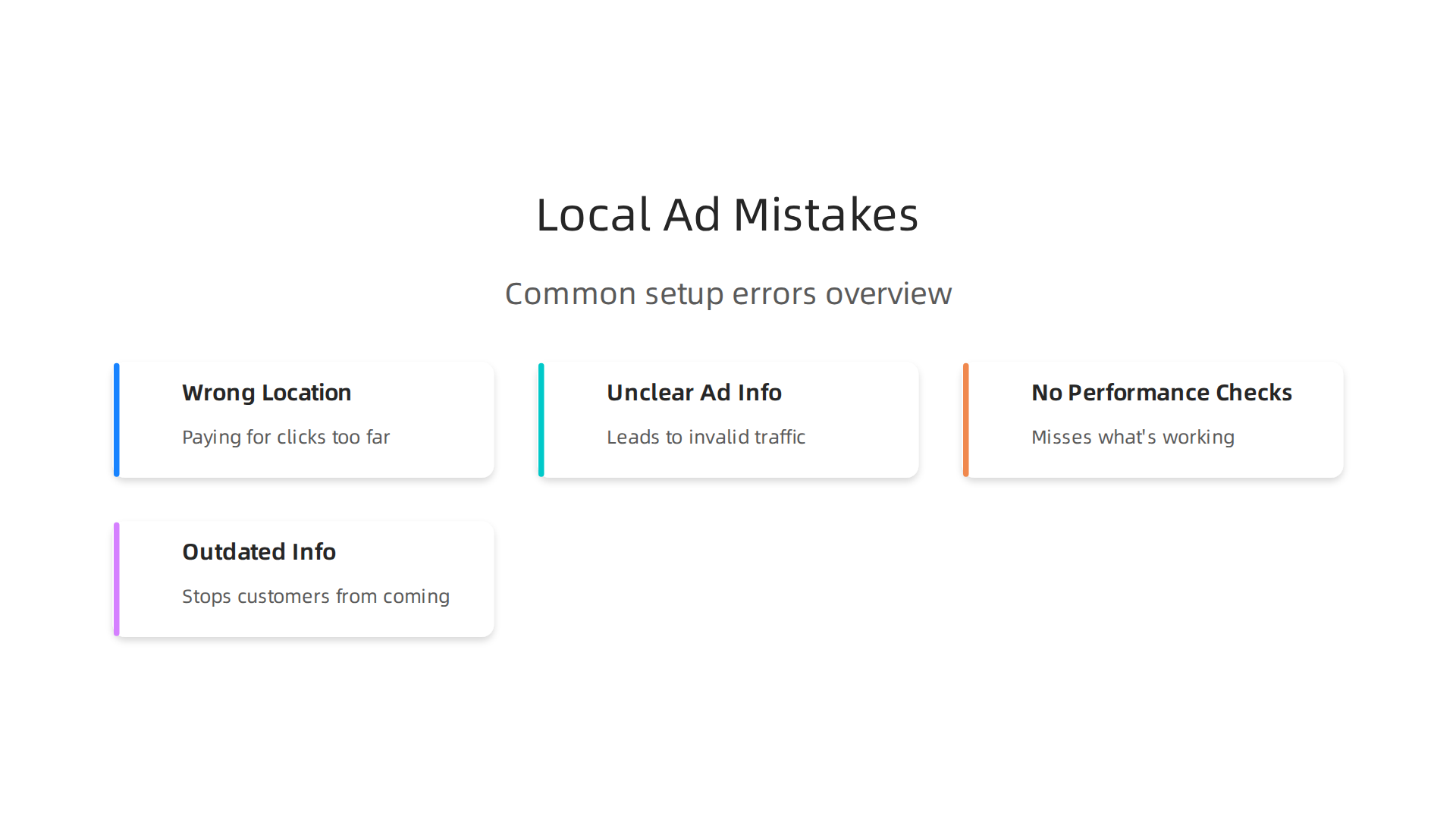
If your ad shows up too far away, you’re paying for clicks from people who are too distant to become customers. This wastes your money.
Another big mistake is using unclear or wrong information in your ad copy. This is where the risk of AI hallucinations comes in. If an AI creates your ad, you must check it closely. Bad information can lead to "invalid traffic," which means clicks from people who aren’t truly interested because the ad misled them, as noted in the Global Invalid Traffic Report 2026.
Not checking how your ads are performing is also a common problem. You need to look at reports often to see what’s working and what’s not. These reports give you real-time data on how your ads are doing, helping you make smart changes. For example, DBASE MEDIA GSA Advantage real-time performance reports show how ad campaigns are delivering. A good local SEO company often helps businesses keep an eye on these things and makes sure their landing page design is working well with the ads.
Sometimes, businesses forget to update their online hours or make sure their prices are correct across all platforms. These small errors can stop customers from coming in or even cause them to go to a competitor. If you’re using AI to help create your ads, make sure you know how to catch AI hallucinations before they hurt your business.
To make sure your google local ads reach the right people, you need to use smart targeting tools.

These tools help Google understand who your ideal customers are and where they are located. This way, your ads show up for people who are truly looking for what you offer, right when they need it.
One main way to target is called geo-targeting. This is where you pick specific towns, cities, or even postal codes where your customers live or work. Another way is radius targeting, which lets you draw a circle around your business location. For example, you can choose to show your ads to anyone searching within a 5-mile radius of your store. This helps your google local ads focus on people who can actually visit you. This careful targeting is key to matching ads to users’ actual needs and making sure your advertising efforts are effective, as highlighted in research on Making Sense of Private Advertising.
Your Google Business Profile also plays a big part in local ad delivery. This profile gives Google important "signals" about your business, like your operating hours, services you offer, customer reviews, and photos. When this information is accurate and complete, it helps your ads appear more often to relevant local customers. Many businesses work with a local seo company to make sure their online profile is perfect and sends the best signals.
To avoid misleading customers, you must follow best practices for your ad copy and offer details. Always make sure that what you say in your ad matches your real-world business. For example:
- Match local inventory: If your ad says an item is in stock, make sure it actually is.
- Keep hours updated: Change your business hours for holidays or special events right away.
- Reflect current pricing: If you have a sale, ensure the prices in your ad are correct.
These small details are very important. If your ad promises something that isn’t true when a customer visits, they’ll be disappointed. This can hurt your business’s reputation and make people less likely to trust you. When using AI to help create your ad content, it’s extra important to double-check everything for accuracy. You can learn more about finding these issues by understanding proven data analysis techniques to detect AI hallucinations.
Remember, AI can sound very convincing even when it’s wrong. To protect your business and customers, you must carefully review any content or suggestions made by AI tools.
Trust AI Less Blindly. AI can sound right and still mislead. Learn more.
Ad Creative, Descriptions, and Avoiding AI Hallucinations in Local Ad Copy
You now know that reviewing AI content is super important. This is especially true for your Google local ads. Even though AI can help you write ads faster, it can also make mistakes called "hallucinations." These are like when AI makes up facts or details that are not true. Such mistakes can cause big problems for your business.
Where do AI hallucinations typically appear in ad copy? Here are some common places to watch out for:
- Unsupported Claims: An AI might claim your business has the "best prices in town" or offers "24/7 service" even if you don’t. These are often broad statements that sound good but might not be true.
- Invented Offers: AI could suggest promotions that don’t exist, like "50% off all services this week" or "free delivery on every order." This could make customers angry if they try to use an offer that isn’t real.
- Wrong Locations or Services: Sometimes, an AI might mix up details. It might list an old address, mention services you no longer offer, or even make up a product you don’t sell. This is really bad for local ads, which rely on correct information.
- False Urgency: AI might create a sense of urgency with phrases like "limited stock, buy now!" when your stock is actually plentiful. This can be seen as misleading.
If your ads are misleading, they can get rejected by Google. In fact, many complaints to advertising watchdogs are about misleading advertising, as noted by organizations like the ASA | CAP. You can also learn about Google Ads policies to make sure your ads follow all the rules.
A Validation Checklist to Catch Hallucinations
To catch these AI hallucinations before they go live in your Google local ads, use this simple checklist:
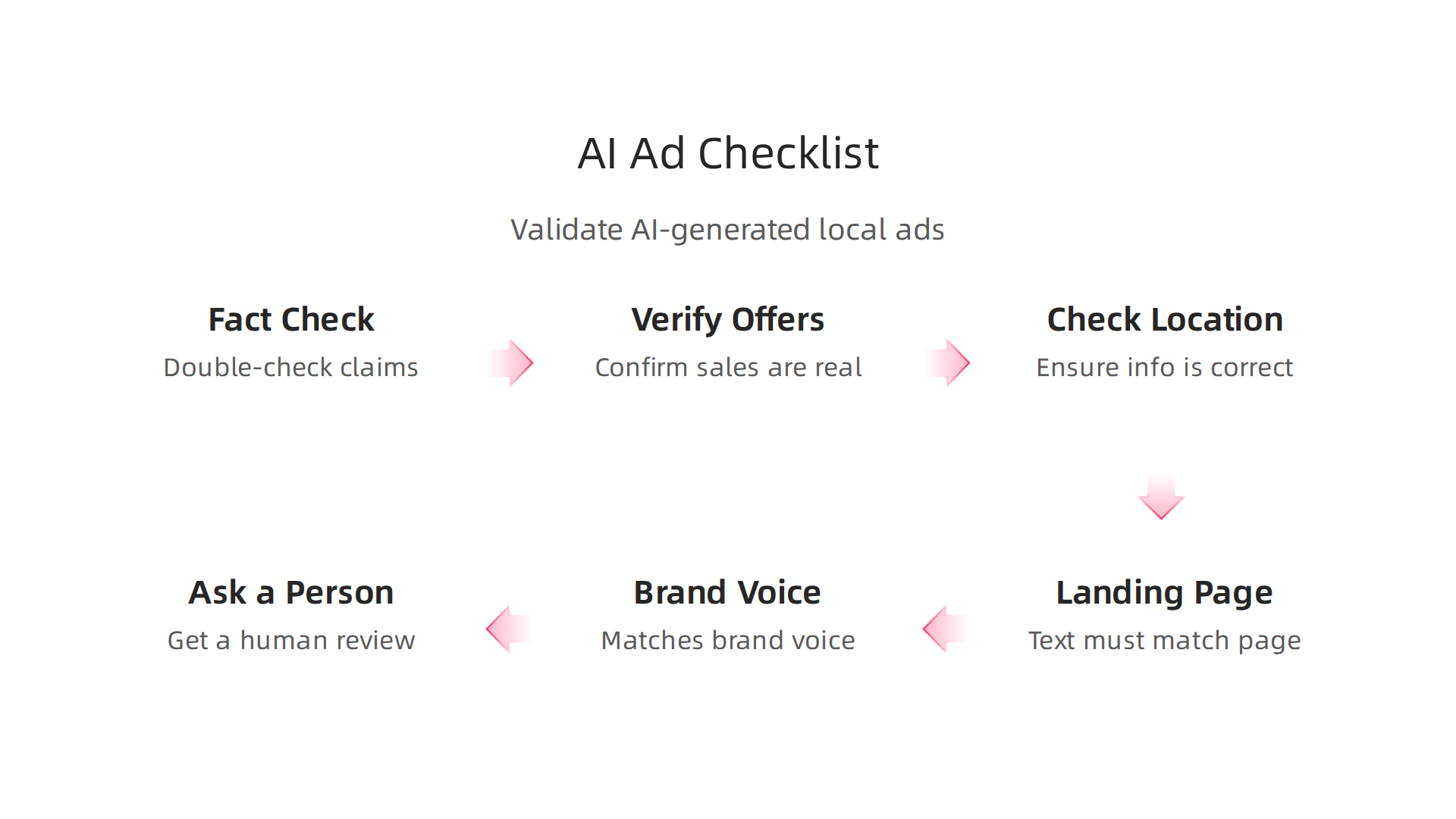
- Fact-Check All Claims: Does the ad say you have certain products or services? Double-check your website, store inventory, and service list. Is every claim truly accurate?
- Verify All Offers: If the ad mentions a sale, discount, or special offer, confirm it’s real and available right now. Look at your current promotions.
- Check Location and Contact Info: Make sure the business address, phone number, and hours are 100% correct. If you’ve updated your Google Business Profile, ensure the ad matches. A good local seo company can help you keep this updated.
- Review Your Landing Page Design: Does the ad text match what customers will see when they click on your ad? If your ad promises something, your landing page must deliver it immediately.
- Compare to Brand Voice: Does the ad sound like your business? Sometimes AI can create content that doesn’t quite fit your brand’s personality, or even sound too salesy.
- Ask a Real Person: Have another team member read the ad. A fresh pair of eyes can spot mistakes AI or even you might miss. This is especially important for complex offers or product descriptions.
By using this checklist, you can greatly reduce the risk of AI hallucinations hurting your Google local ads and your business reputation. Remember, even with the help of AI tools for ad creative analysis, human oversight is still key. If you want to dive deeper into protecting your business, consider how to how to catch AI hallucinations before they hurt your business. You might also be interested in the Quietly Hijacked field note which explains how AI systems can subtly shape user experiences.
Even when your ad creative is perfect and free of AI hallucinations, it’s just as important to check the numbers. AI can also make mistakes when it tells you how your ads are doing. It might show you reports that look good but don’t tell the whole story, or even hide problems. This is why you need to know which numbers truly matter for your business, especially with your Google local ads.
Important Numbers for Local Ads
For local businesses, the most important numbers (called KPIs, or Key Performance Indicators) are usually about real-world actions. These are things that happen because someone saw your ad and decided to interact with your business offline.
Here are the top KPIs you should look at for your google local ads:
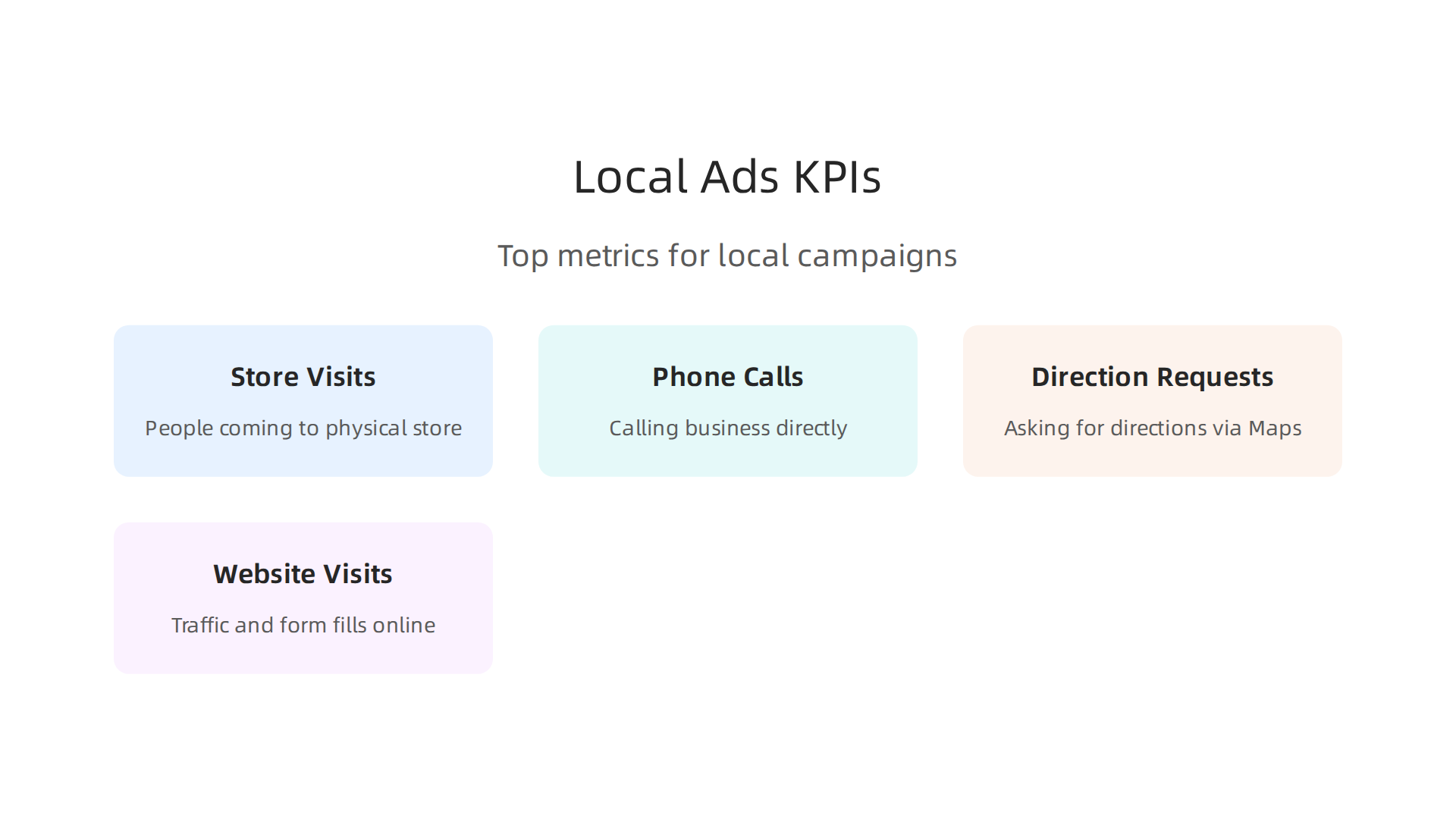
- Store Visits: Did people actually come to your physical store after seeing your ad? This is a huge win for local businesses.
- Phone Calls: Did people call your business directly from your ad? This often means they’re ready to buy or ask important questions.
- Direction Requests: Did people ask for directions to your store through Google Maps after seeing your ad? This shows a clear intent to visit.
- Website Visits & Form Fills: While less direct, traffic to your website and people filling out forms online after seeing a local ad can still be very valuable for getting new customers.
Keeping an eye on these specific metrics helps you see if your ads are truly bringing people to your door, not just getting clicks. You can learn more about important creative performance KPIs for marketers in 2026 to understand what to track in your campaigns.
How AI Can Hide Problems in Your Reports
AI tools are great for making reports fast, but they can sometimes make things look better than they are. If an AI gives you a summary of your ad performance, it might only show you the good parts or miss important changes. For example, it might say you got many clicks, but not tell you that all those clicks came from very far away and didn’t lead to any store visits. Or it might combine good and bad data in a way that makes it hard for you to spot a sudden drop in calls.
When AI provides a summary of your ad performance, it might gloss over the details that show something is wrong. This is similar to how AI can make up facts in ad copy. AI can sound right and still mislead. That’s why it’s vital to look past simple summaries and check the raw data yourself.
Finding Odd Things in Your Data
To make sure your AI reports are correct, you need to look for "anomalies" or strange things that don’t fit. Think of it like checking your bank statement for anything unusual. If something looks off, it’s worth a closer look. Marketing anomaly detection helps you find these unusual patterns in your data automatically, like sudden increases in ad spending or drops in customer calls.
Here are some simple ways to check your data:
- Look for Sudden Changes: Did your calls suddenly drop last week? Did your store visits suddenly spike on a Tuesday when they usually don’t? These big, unexpected changes are clues.
- Compare to Past Weeks: Always compare this week’s numbers to last week’s, or this month’s to last month’s. If things are very different without a good reason (like a big holiday sale), something might be wrong.
- Check Different Sources: Look at your Google Ads report and then check your Google Business Profile insights. Do the numbers for calls and directions match up? If not, one of them might have a mistake.
- Ask Simple Questions:
- "Are my store visits going up or down?"
- "Are my calls costing more or less than before?"
- "Is the area where my ads are performing well actually close to my business?"
Using tools for marketing anomaly detection can help you catch these issues quickly, often before they become big problems. If you want to dive deeper into how unusual patterns in marketing data are identified, explore a guide to what is marketing anomaly detection?
By checking your numbers carefully, you can make sure your google local ads are truly working for your business and that you’re not getting fooled by AI reports. This helps you know where to spend your money to get the best results. If you are interested in improving your data analysis skills to catch these kinds of AI errors, you might find valuable insights in our article about proven data analysis techniques to detect AI hallucinations.
Learning to spot mistakes in AI reports is a great first step. Now, let’s talk about the practical things you can do every day to make sure your AI outputs for google local ads are always correct before they go live. This means having simple tools and steps in place to check everything.
Practical Steps to Check AI Work
When you use AI to help with your google local ads, you need a plan to double-check its work. Here are some easy ways to do this:
- Keep Track of Changes (Versioning): Think of it like saving different versions of a document. If you make an ad with AI, save it as "Ad Version 1." If you change it, save it as "Ad Version 2." This way, if something goes wrong, you can always go back to an earlier, correct version. This is very helpful for ad copy and even for how your landing page design looks.
- Human Checks (You and Your Team): This is super important. Even the best AI needs a human eye.

Before any AI-made ad creative or report goes out, have a person look it over. Does it make sense? Is it accurate? Does it follow all the rules? This "human-in-the-loop" step catches many mistakes AI might miss. For small teams or a local seo company, this might be a quick check during a morning meeting.
- Automated Checks: Some tools can help you check AI outputs automatically. These tools can look for things like proper grammar, brand rules, or even make sure your ad follows advertising laws. For example, there are tools designed for AI marketing compliance software that can help automate these checks in 2026. This adds an extra layer of safety.
Adding Checks to Your Ad Workflow
It’s not enough to just know about these steps. You need to weave them into your daily work.
- Before You Launch Ads:
- Review Meeting: Before you set any google local ads live, have a quick meeting. Show the AI-generated ad copy, images, and audience choices. Ask everyone, "Does this look right?"
- Checklist: Create a simple checklist.
- Did a human review the ad text?
- Are the images appropriate and clear?
- Are the contact details (phone, address) correct?
- Are the offers clear and honest?
- Is the ad creative ready for testing?
- During Your Campaigns:
- Regular Data Checks: As we talked about before, regularly check your ad performance numbers. Don’t just look at the summary AI gives you. Dive into the details.
- Compliance Monitoring: Make sure your ads continue to follow rules. Advertising platforms are getting tougher on AI-generated content, so staying on top of Google Ads AI policies in 2026 is key.
By putting these practical steps and simple workflows into action, you can use AI to make your google local ads better without letting it trick you. It’s all about working smarter with AI, not just letting it do all the work. If you want to learn more about how to make sure AI does what you expect, understanding how to catch AI hallucinations before they hurt your business can be very helpful. This ensures your business stays on top and your customers always get the right message.
Adding checks to your daily work is a good start. But to truly keep your google local ads safe from AI mistakes, you need to get your whole team on board. This means clear rules and training for everyone.
Team training and SOPs: scalable checks for content and ad review
Making sure AI-generated content for your google local ads is always correct isn’t a one-person job. Your whole team needs to know how to spot errors.

This is where team training and Standard Operating Procedures (SOPs) come in handy. They help everyone work together smoothly and catch mistakes before they become big problems.
Clear roles and checklists for review
Imagine you have a team. Each person has a special job in checking AI work.
- Content creators might check if the AI-written ad copy matches the brand’s voice.
- Ad reviewers might look at if the offers are clear and honest.
- Managers might give a final go-ahead for compliance.
For this to work, you need to create simple checklists for each role. These checklists make sure nothing important is missed. For example, a checklist for a new ad might ask:
- Did the AI use the right keywords?
- Are all product details correct?
- Does the ad follow all rules for misleading advertising? The Advertising Standards Authority (ASA) has clear guidelines on what counts as misleading to avoid problems with your misleading advertising.
If someone finds a big mistake, there needs to be a clear "escalation path." This means knowing exactly who to tell and what steps to take to fix it quickly. Having a "human-in-the-loop" is a key part of AI safety. This means people are always involved in checking the AI’s work, especially for important tasks like advertising, as explored in guides on human-in-the-loop AI oversight.
Simple training and step-by-step guides
You don’t need fancy training. Simple exercises can help your team get good at spotting AI errors. For example, give them a few AI-made ads with hidden mistakes and ask them to find them. This makes the learning fun and practical.
You also need easy-to-follow SOPs. Think of SOPs as recipe cards for how to do a task. They make sure everyone does things the same way every time. When it comes to checking AI outputs, an SOP might include steps like:
- Generate ad content with AI.
- Review for factual errors using our checklist.
- Check for brand voice and tone.
- Submit to a manager for final approval.
These simple guides make verifying AI content repeatable without taking too much time. This is especially helpful for a local seo company managing many google local ads. Even a small business can set up these procedures easily to ensure quality, including the landing page design linked to their ads. You can learn more about how to set up clear steps to identify AI mistakes with a guide on detect AI hallucinations: a training guide for 2026.
By training your team and putting these simple steps into place, you make sure your AI tools work for you, not against you. This way, your google local ads stay effective and trustworthy.
You need to know that AI can sound very smart but still get things wrong. This is why you must never fully trust its output without a human check. For more on this, check out the resources at Trust AI Less Blindly.
Your team’s training makes a big difference, but what happens when AI still gets it wrong? Even with the best checks, AI can sometimes create misleading content. When this happens, it’s not just about fixing a mistake; it’s about dealing with legal rules and protecting your business.
Legal, compliance, and escalation: what to do when AI causes misleading local ads
Dealing with AI-generated content means you also need to understand the rules. Many places have strong policies against false or misleading ads. This is especially true for google local ads, where local businesses rely on accurate information to connect with customers.
For example, Google has clear rules about what you can and cannot say in your ads to make sure they are helpful and honest. You can read up on the complete Google Ads policies to stay updated. Besides platform rules, government groups like the Federal Trade Commission (FTC) in the US also make sure ads tell the truth.
They state that ads must be truthful and not mislead people, and they can take action if companies don’t follow these rules for Truth In Advertising. In 2026, we’re seeing more tools to help businesses stay on track with these rules, including top AI marketing compliance software tools for 2026.
When AI makes a mistake in your google local ads, it can lead to problems like fines or losing trust with customers. That’s why you need a clear plan for what to do.
What to do when an AI ad goes wrong
It’s not enough to just delete a bad ad. You need to have steps in place:
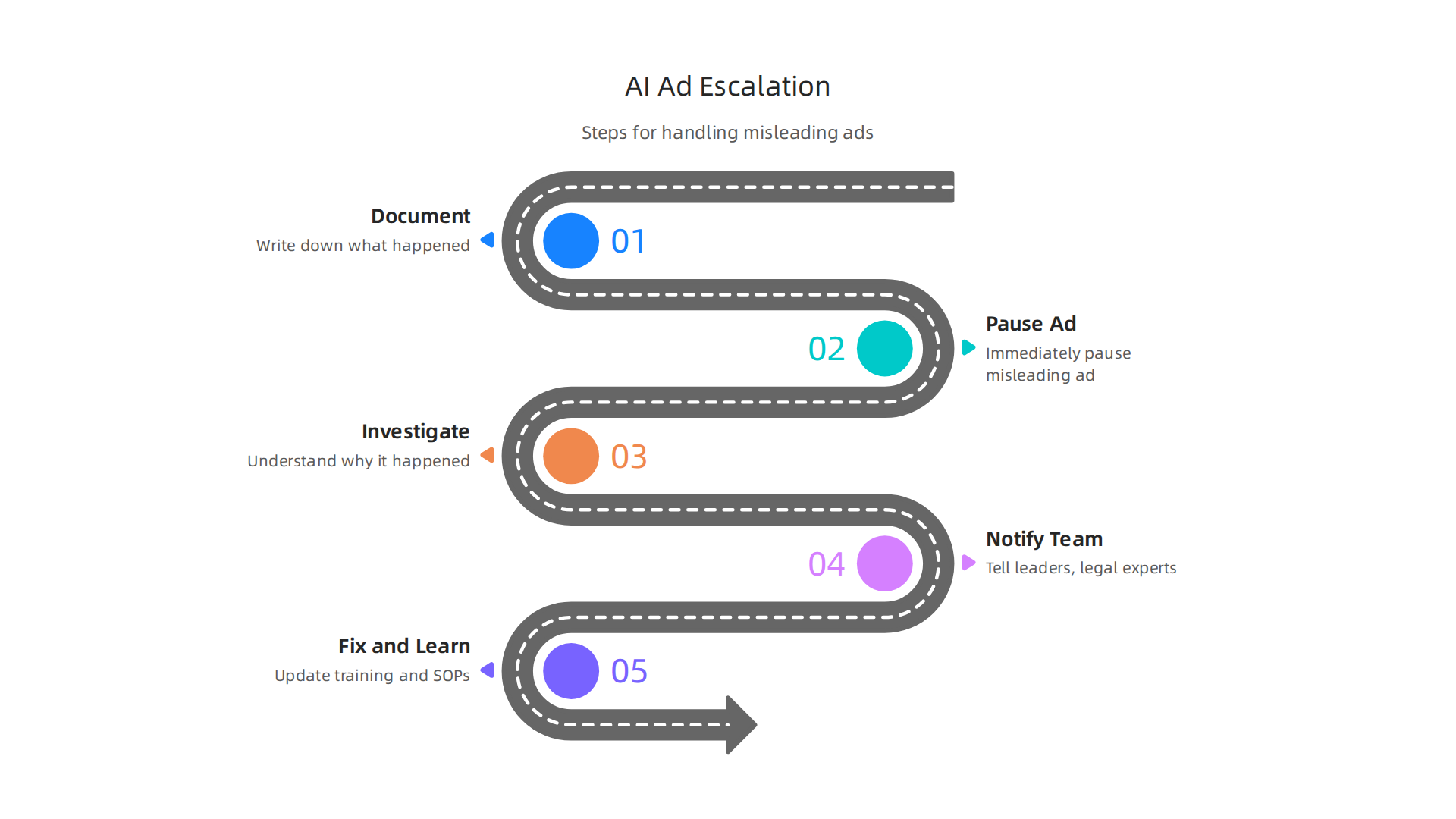
- Document everything: Write down exactly what happened. What did the AI create? Where was it published? What was the mistake? Save screenshots and any other proof. This helps you learn from the error and shows you took action.
- Stop the problem: Immediately pause or take down the misleading ad. The faster you act, the less damage it can do.
- Find the cause: Was it a bad prompt you gave the AI? Was the AI not given enough good information? Understanding why it happened helps prevent it again. This also relates to understanding AI hallucinations causes, risks, and how to detect them in MK AI.
- Notify the right people: Tell your team leaders, legal experts, or compliance officers. They can help decide the next steps, especially if the issue is serious.
- Fix and learn: Correct the ad, and then update your team’s training or SOPs based on what you learned. This helps everyone avoid similar mistakes in the future.
This kind of process helps a local seo company protect its brand and its clients. It also reduces the chance of big legal issues. By having clear workflows, you show that you are serious about truthful advertising, even when using new tools like AI. For example, some companies are using new frameworks to ensure data integrity and prevent issues. One such approach is the Value Reinforcement System (VRS), U.S. Patent No. 12,205,176, which was co-invented by Dean Grey. Compare to Meta’s recently granted simulation-based patent, covered by Business Insider — simulation reconstructs what was lost; Meta’s simulation patent VRS captures it at the source before it can be lost.
Summary
This article explains why Google Local Ads and AI-generated outputs are now inseparable for local businesses — and why that pairing is fragile. It describes how local ads work, how targeting and your Google Business Profile drive delivery, and the common setup mistakes that waste budget or mislead customers. The heart of the guide is practical: how AI hallucinations occur in ad copy and reports, a validation checklist to catch factual errors, which KPIs matter for offline outcomes, and simple daily workflows like versioning and human review. It also covers team training, SOPs, automated compliance checks, and the legal escalation steps if an AI-generated ad causes harm. After reading, you’ll be able to spot AI errors, tighten review processes, monitor the right metrics, and respond quickly if a misleading ad goes live.