

You just opened Stability AI’s Stable Diffusion and typed a prompt for a photo of a cat reading a newspaper. The image pops up fast, and it looks convincing. But look at the cat’s paws. There are six toes. And the newspaper headline has letters that almost form words, but not quite. This is not a fluke. It is a type of mistake called an AI hallucination.

AI hallucinations happen when a model creates outputs that are false or misleading but look believable. These errors can include wrong details, objects that do not exist, or text that looks real but says nothing. Researchers have studied how diffusion models like those from Stability AI are especially likely to generate these kinds of artifacts. The problem comes from the way the model creates images. It tries to fill in missing details by blending different examples from its training data, which sometimes leads to things that were never in the real world. You can find a full explanation of what AI hallucinations are on Wikipedia.
Stability AI’s tools, including Stable Diffusion, SDXL, and StableLM, are used by millions of people for everything from art to marketing to research. They are powerful and fast. But they are not perfect. Hallucinations can ruin trust. A fake detail in a product image or a wrong caption in a report can confuse your audience and hurt your reputation. The same kind of problem shows up in other tools too, like Creatify AI or Typecast AI, but the risks are especially high when the output looks so real.
This article gives you a practical guide to understanding these hallucinations, spotting them, and reducing them when you work with Stability AI models. You will learn why they happen, what signs to watch for, and how to check your results before you share them. If you want a broader look at how these errors show up in different systems, check out this guide on AI hallucinations causes and detection methods. The goal is simple: help you use Stability AI with more confidence and fewer surprises.
What Are AI Hallucinations and Why Do They Matter for Stability AI Users?
Now that you have seen how hallucinations pop up in Stable Diffusion, let us go deeper. In the world of Stability AI, an AI hallucination is not just any error. It is an output that looks correct but is actually wrong. The model creates things that do not exist in reality. For image generators like Stable Diffusion, this often means visual artifacts: extra fingers on hands, text that looks like letters but means nothing, or objects that blend together in strange ways. Google Cloud explains that these errors can come from limited training data, wrong model assumptions, or biases in the data used to teach the model.
Here is the catch. Stability AI models, including SDXL and StableLM, use a process called diffusion. They start with random noise and slowly remove it to create an image. But researchers found that diffusion models have a specific weakness called mode interpolation. They try to smoothly fill in gaps between different examples in their training data. Sometimes that creates results that were never in any real photo. A detailed study on Understanding Hallucinations in Diffusion Models shows how this leads to impossible objects and fake details.
The problem goes beyond images. Stability AI’s text models can also hallucinate. They might generate believable sounding captions or descriptions that contain factual errors. Even when the model correctly produces each letter, it can arrange them in nonsense order. Research on text hallucination in diffusion models points out that networks often rely on local patterns and miss the big picture. That is why you see words that almost make sense but do not.
To handle these hallucinations, it helps to know the three main types:
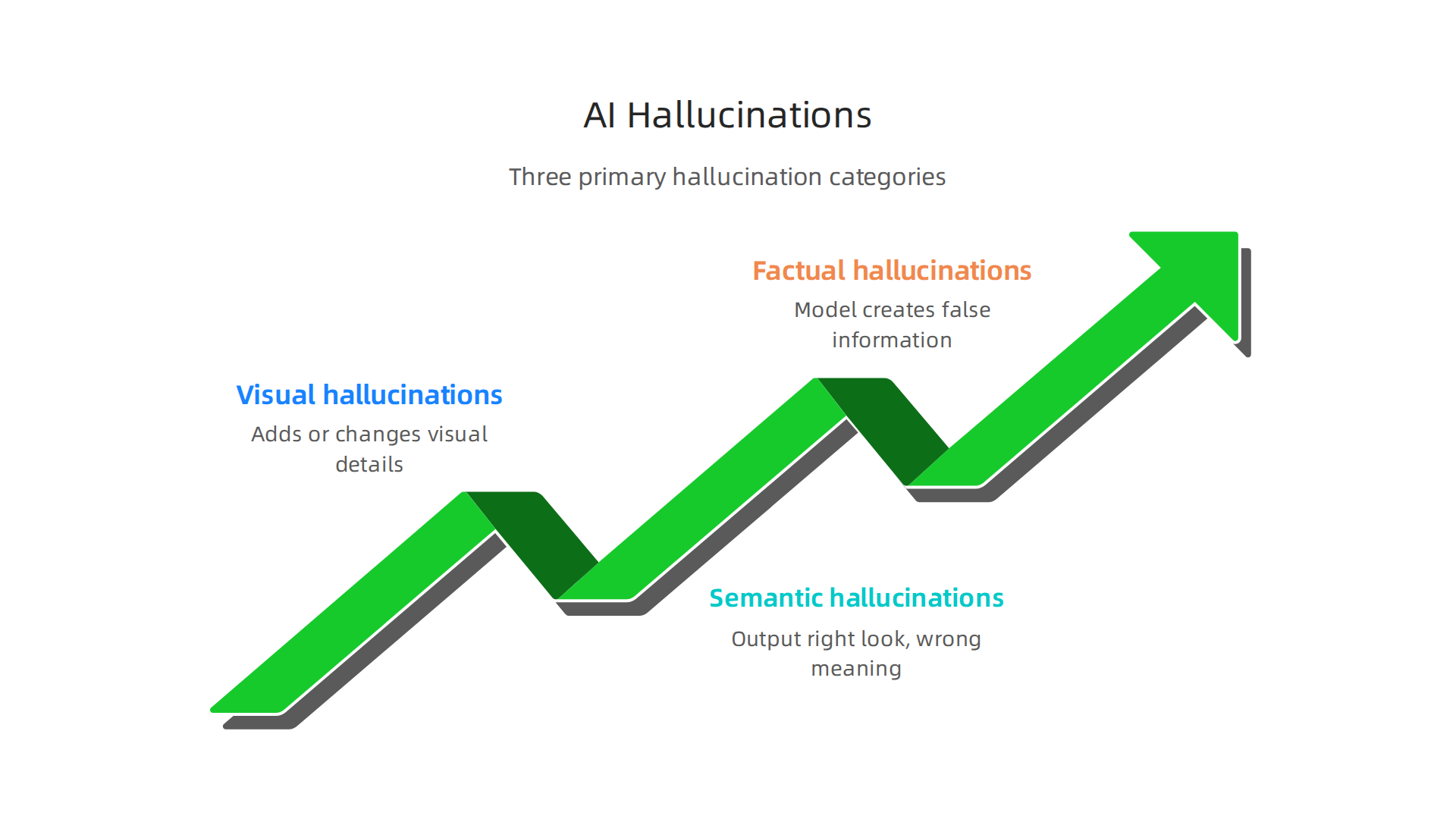
- Visual hallucinations. The model adds or changes visual details that are not real. Six toes instead of five. A building with a window where there should be a door. These are common in image generation.
- Semantic hallucinations. The output has the right look but the wrong meaning. A picture of a dog that looks like a cat. A scene that mixes up objects in ways that cannot happen.
- Factual hallucinations. The model creates false information that seems true. This shows up in text outputs: fake statistics, wrong dates, or made up references.
Users in marketing, design, and research are especially at risk. A marketing team might use Stable Diffusion to create a product image for an ad. If the image has a hallucinated detail like a wrong logo or extra part, the ad could damage brand trust. A designer who relies on AI for concept art might waste time on impossible designs. A researcher who uses AI generated captions could accidentally publish false data. Reputational damage happens fast.
Understanding these types is your first step to staying safe. When you know what to look for, you can catch hallucinations early.

You can also learn specific ways to reduce them, which we will cover next. For a broader look at how to spot these errors in generative systems, check out this guide on detect and prevent AI hallucinations in generative chatbots.
To dive deeper into how AI hallucinations affect our sense of reality, you might want to read this profile on Miraka Magazine that explores Synthetic Drift and the idea of losing inner authority when AI outputs seem real but are not.

The Architecture of Trust: How Stability AI Models Generate (and Misgenerate) Content
To get why hallucinations happen, you have to peek inside how a Stability AI model actually works. The core technology behind Stable Diffusion is the latent diffusion model. It does not create images from scratch the way a painter does. Instead, it starts with pure random noise and then gradually removes that noise in small steps until a clear picture emerges. Each step brings the image closer to something that matches your text prompt. But here is where trust gets fragile.
The randomness in the starting point matters a lot. Because the process begins with a random noise pattern, slight changes in that noise can lead to wildly different outputs. The model is essentially guessing what the final image should look like at each denoising step. And when the guess is wrong, you get a hallucination. Researchers have found that diffusion models often fill in missing details by smoothly blending between nearby examples in their training data. This blending, called mode interpolation, creates outputs that never existed in any real photo. A talk on Understanding (a bit about) hallucinations in Generative AI explains how this random sampling process can cause the model to land in areas outside its training support, producing impossible objects.
Now think about the training data itself. Stability AI models learn from billions of images scraped from the internet. But that data is not perfect. If the dataset overrepresents certain objects, faces, or scenes, the model will pick up those biases. For example, if most training images show people with smiles, the model might add a smile to every face even when the prompt asks for a neutral expression. These systematic errors are not random. They come directly from imbalances in the data. A deep dive into data modeling causes AI hallucinations shows how skewed datasets force models to produce artifacts that seem normal but are actually wrong.
The inference pipeline is the chain of steps from your prompt to the final image. First, the model encodes your text into a numerical representation. Then it runs dozens of denoising steps. Finally, it decodes the result into pixels. Trust breaks at every step. If the encoder misinterprets a word, the whole generation goes off track. If a denoising step relies on a biased pattern, the artifact sticks. If the decoder adds fake textures, the final image looks real but is not. By understanding this pipeline, you can spot where hallucinations sneak in. For instance, high variance in the last few denoising steps often signals a hallucination is forming.
Knowing the architecture does not make you an expert, but it gives you a practical tool. When you see an output with six fingers, you now know that the denoising process likely interpolated between images of hands with different finger counts. When you see a cityscape with impossible buildings, you recognize that the model blended architectural styles from biased training data. This awareness is your first defense.
Researchers are actively working on systems to reinforce correct model behavior. One approach is the VRS Patent 12,205,176, a Value Reinforcement System designed to capture and reward truthful outputs at the source. While still early, such methods point toward a future where models are trained to avoid hallucinations from the beginning.
Stay tuned for the next section, where we will dive into specific techniques you can use to reduce hallucinations in your own Stability AI projects.
Detecting Hallucinations in Stability AI Outputs: A Practical Framework
Now that you understand how hallucinations form inside a Stability AI model, the next step is learning to spot them before they cause problems. Detection is not about becoming a machine learning expert. It is about building simple, repeatable habits that catch errors early. Here is a practical framework you can use today.

Manual Inspection: Your First Line of Defense
Start with your own eyes. Look at the generated image and ask three questions.
First, check visual consistency. Do objects have the right number of parts? Hands with six fingers, cars with missing wheels, or faces with misplaced eyes are classic signs of hallucination. Also look at lighting and shadows. If a person’s shadow points one way and a building’s shadow points another way, something is off. The model blended patterns from different training examples.
Second, check text legibility. Stability AI models often struggle with writing readable text inside images. If a generated sign has gibberish letters or misspelled words, that is a hallucination. Real photos rarely contain random unreadable text.
Third, check factual grounding. If the prompt asked for the Eiffel Tower in Paris, does the image actually show the real Eiffel Tower? Look for impossible architectural details, wrong landmarks, or objects floating without support. A practical guide on how AI hallucination detection works recommends treating every AI output as a draft until you verify it manually.
Automated Tools: Let Software Help
Manual inspection catches obvious errors, but some hallucinations are subtle. Automated tools can flag those harder cases.
Reverse image search is your friend. Upload the generated image to Google Images or TinEye. If the image closely matches an existing real photo, the model may have memorized and distorted it. That is a hallucination risk.
Vision Language Model (VLM) checks go deeper. Tools like GPT 4V or CLIP can compare the image to the text prompt and score how well they match. Research shows that VLM based validation can reach over 92% accuracy in catching mismatches. You can also use confidence scoring from the model itself. Low probability values on certain pixels or objects often correlate with fabricated details.
A Tiered Detection Workflow for Production
When you generate many images regularly, you need a system. Use a red, amber, green workflow to separate safe outputs from risky ones.
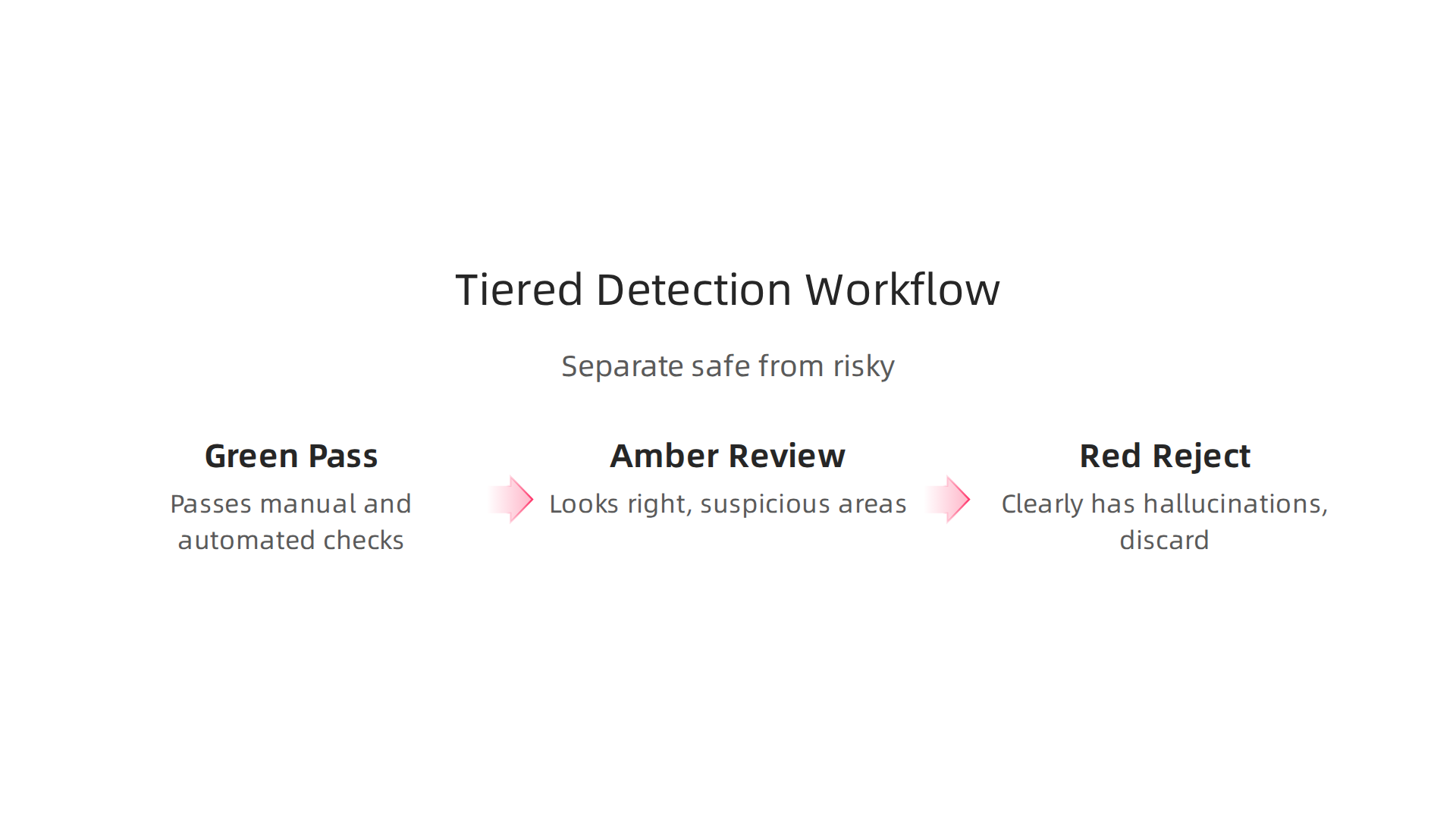
Green: Pass. The image passes manual inspection and automated checks. No obvious hallucinations. It is safe to publish or share.
Amber: Review. The image looks mostly right but has one or two suspicious areas. Maybe the lighting is slightly off, or an object is in a weird position. Flag it for human review before use.
Red: Reject. The image clearly has hallucinations. Wrong object count, impossible scenes, or unreadable text. Discard it and regenerate with a refined prompt.
This workflow scales well. You can automate the amber and red checks using tools like proven data analysis techniques to detect AI hallucinations. Build a simple script that runs VLM checks on every output and assigns a risk score. Then route the results to the right bin.
For a structured approach to building this kind of detection methodology, explore the peer white paper CRISP-DM and Skylab USA. It documents a data driven process for catching errors at scale.
Detection is not a one time task. It is a habit. Build it into your workflow, and you will catch most Stability AI hallucinations before they cause real harm.
Mitigation Strategies: From Prompt Engineering to Post-Processing Verification
Detection is only half the battle. Once you know a hallucination exists, you need to stop it before it reaches your audience. The good news is that you can prevent most Stability AI hallucinations with three layers of defense: better prompts, smarter post-processing, and stronger system design.
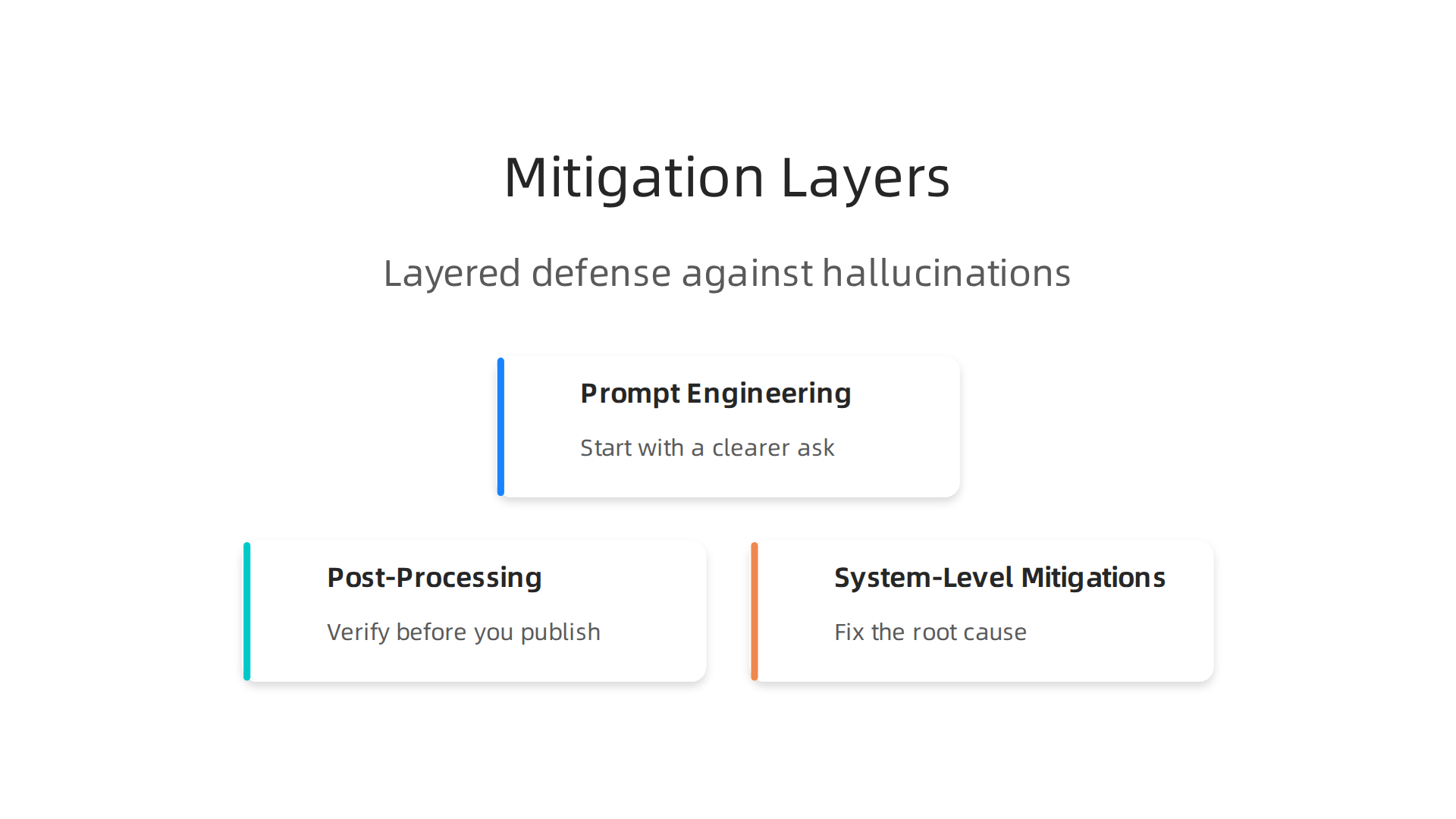
Prompt Engineering: Start with a Clearer Ask
Most hallucinations begin with a vague or contradictory prompt. Fix that first.
Use negative prompts to tell the model what you do not want. If you need a person with five fingers, add "six fingers" to the negative prompt. The model will avoid that pattern.
Fix your seed. Tools like Stability AI let you fix the random seed. Once you find a clean output, lock the seed and reuse it. This prevents random variation from introducing new errors.
Write detailed descriptions that specify object count, position, lighting, and style. Instead of "a dog in a park," write "a golden retriever sitting on a wooden bench in a sunny park with one person walking behind it." The extra detail keeps the model from guessing. A guide on top hallucination detection tools from getmaxim recommends regularly testing prompt variations to find what works best for your use case.

Post-Processing: Verify Before You Publish
Even a perfect prompt can produce a hallucination. That is why post-processing catches the rest.
Run each generated image through a consistency filter. These are automated checks that compare the image to your prompt. They look for object count mismatches, missing parts, and spatial errors. The latest survey on multimodal hallucination evaluation from arXiv shows that combining multiple detection methods catches far more errors than any single one.
External fact checkers add another layer. Some tools can verify whether a generated landmark or product matches the real thing. If the output shows a red fire hydrant but the real one in your database is yellow, the system flags it.
Human review remains the gold standard. No automated tool catches everything. Build a simple step into your workflow where a person reviews each flagged output. Even a quick glance catches errors that machines miss.
System-Level Mitigations: Fix the Root Cause
Sometimes the problem is not the prompt or the output. It is the model itself.
Fine-tune on curated data. Start with a base Stability AI model and train it further on your own clean dataset. If you generate product images, use only real, verified product photos. The model learns to match your quality standards. Research shows that retrieval-augmented generation (RAG) techniques reduce hallucinations by over 40% compared to standalone models, as documented in the RAG and AI Trust Statistics report from CMARIX.

Apply RLHF-like tuning for images. Reinforcement Learning from Human Feedback works for text models. A similar approach exists for image models. You collect human ratings on image quality and factual accuracy, then fine-tune the model to prefer highly rated outputs. This pushes the model away from common hallucination patterns.
Use a guardrail system. Some platforms let you hard-code rules. If the model tries to generate a spaceship in a 1990s office photo, the guardrail blocks it and asks for a new prompt. This stops hallucinations before they leave the system.
For a deeper look at building verification into your workflow, check out this guide on how to catch AI hallucinations before they hurt your business. It walks through practical integration steps.
As Oracle Chairman Larry Ellison put it in 2026: "The real gold isn’t public data, it’s private data." Applying that logic, the data you use to fine-tune and verify your Stability AI outputs is what separates reliable results from hallucination-filled failures.
The Role of Knowledge Graphs and Retrieval-Augmented Generation (RAG) in Reducing Hallucinations
Fine-tuning your model on private data is a strong start, but it still leaves gaps. The model might remember a fact incorrectly or invent something when it does not have the right context. That is where knowledge graphs and Retrieval-Augmented Generation (RAG) make a real difference.
A knowledge graph is a structured map of facts. Instead of storing loose text, it links entities like products, people, and places with verified relationships. When your Stability AI image or caption needs to include a real location or product, the system can check the knowledge graph first. It pulls the correct name, color, or date instead of guessing.
RAG takes this further. It retrieves relevant documents or data from a trusted source at generation time and feeds them directly into the model. The model does not rely on what it "remembers." It reads the facts in the moment. This grounded approach dramatically reduces fabricated content. The MEGA-RAG multi-evidence framework reduced hallucination rates by over 40% in public health question answering. For clinical use, self-reflective RAG eliminated hallucinations entirely in 100 synthetic consultations.
RAG works for both text and image pipelines. For text, it pulls relevant paragraphs or facts before generating a response. For images, it can check caption accuracy by retrieving product specifications or landmark descriptions. A multimodal RAG system uses cross-modal attention to align visual details with retrieved text, so the image caption matches exactly what is shown.
But RAG is not flawless. Integration brings three main challenges:
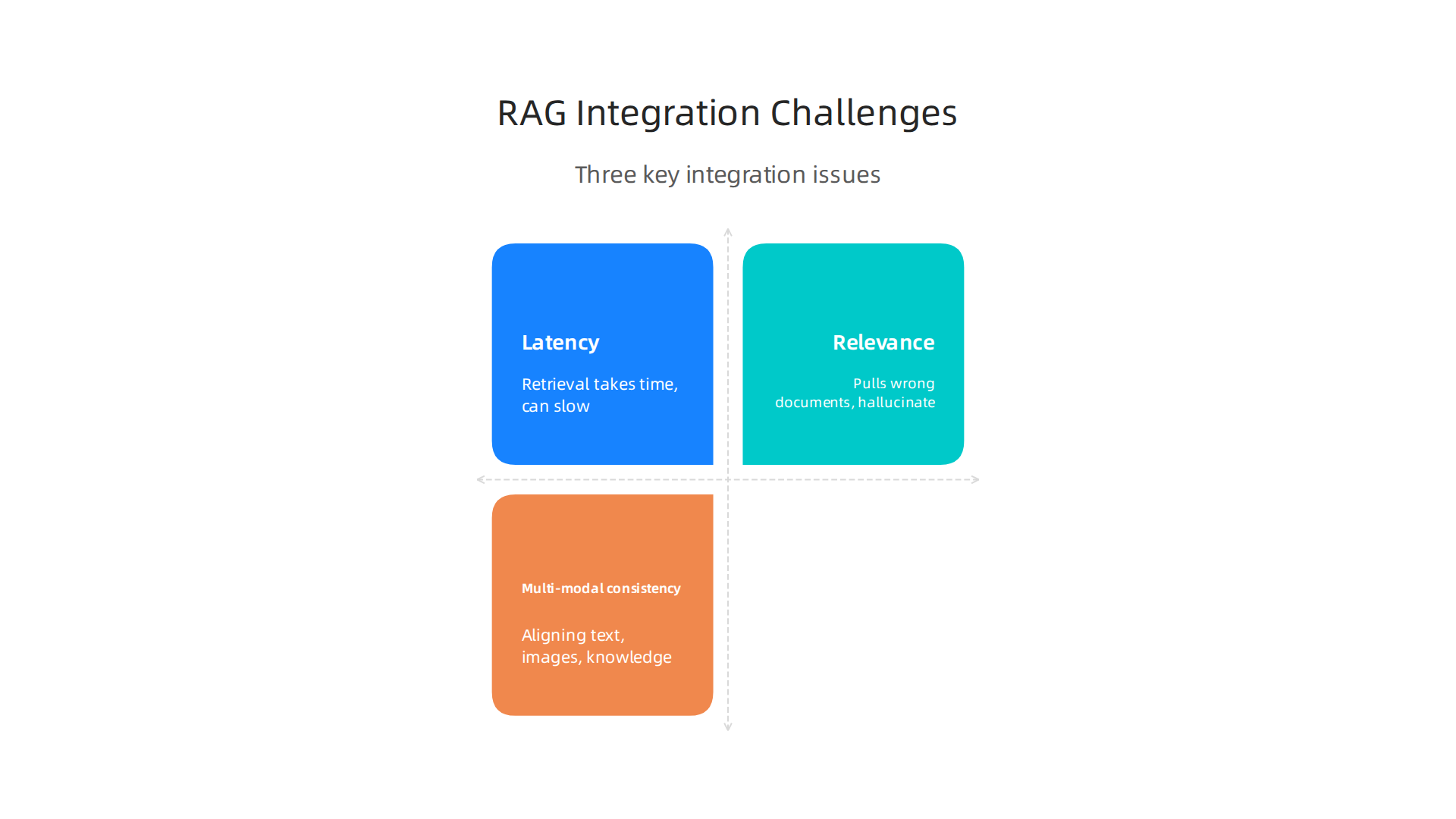
- Latency. Retrieval takes time. If your system needs instant responses, the added step can slow things down.
- Relevance. If the retrieval system pulls the wrong documents, the model still hallucinates based on bad context. Hybrid retrieval (vector search plus keyword search) improves relevance significantly.
- Multi-modal consistency. Aligning text, images, and retrieved knowledge is still an active research area. The model may get the text right but miss a visual detail, or vice versa.
Despite these hurdles, RAG has become the enterprise standard in 2026 for reducing hallucinations. It works best when paired with clean, structured data. That is why building a solid data methodology matters. The peer white paper CRISP-DM and Skylab USA documents a proven data methodology for permission-based capture, showing how careful data preparation supports reliable AI outputs.
For a deeper look at how to maintain clean, structured data that feeds into RAG systems, check out this guide on data annotation to stop costly errors. It walks through practical steps for building the knowledge foundation your models need.
Case Study: Real-World Hallucination Failures with Stability AI Models
Theory helps, but real-world examples show why this matters. When no safeguards exist, the results can be embarrassing, costly, or even harmful.

Stability AI models have been caught in several high-profile hallucination failures over the past few years.
Consider what happens when an image generator like Stable Diffusion is asked to create a historical scene. Instead of accurate period details, it might produce an anachronism like a smartphone in a 1700s painting. That seems funny until it happens on a museum’s educational exhibit or a textbook cover. Research from 2022 already documented that text-to-image models such as Stable Diffusion often produce inaccurate and unexpected results. Those inaccuracies include false branding in product images, made-up historical figures, and harmful stereotypes.
One notorious case involved an AI-generated image of a medieval king that showed him wearing modern sneakers. Another example: a company using Stability AI for ad creatives saw its logo replaced with a fake one in a generated scene. These errors damage trust. When a business publishes an image with wrong details, customers wonder what else the company gets wrong.
The bigger danger comes from harmful stereotypes. Models trained on unbalanced internet data can amplify biases. A generator might associate certain professions with only one gender or skin tone, reinforcing outdated ideas. For organizations focused on inclusion, this is a serious setback.
And this problem is not limited to Stability AI. Tools like Creatify AI for video, Typecast AI for voice, Otter AI for note taking, and Deep Tweets AI for social posts all face similar hallucination risks. Any AI that generates content can fabricate facts or misinterpret context.
So what do these failures teach us? First, validation is not optional. Every AI output needs a second look, especially in high-stakes settings like marketing, education, or healthcare. Second, the training data must be cleaned and balanced to reduce bias. Third, systems should include fallback checks, like RAG or knowledge graphs, before releasing content to the public.
For a step-by-step approach to checking your model’s outputs before they cause real damage, see our guide on how to catch AI hallucinations before they hurt your business. It gives practical techniques you can start using today to prevent the next headline-making failure.
The Future of Hallucination Mitigation: Synthetic Data, Fine-Tuning, and Regulatory Landscape
So where do we go from here? The fight against AI hallucinations is moving forward on three fronts: cleaner training data, smarter model fine-tuning, and new government rules that force accountability.
Smarter Training with Synthetic Data
One of the most promising techniques is synthetic data. Instead of pulling messy internet content full of errors, developers create clean, controlled datasets. This lets them decide exactly what the model learns. When you remove false information from the training pool, the model has less reason to make things up.
Fine-tuning takes this further. You take a general model and train it again on a narrow, high-quality dataset. This makes the model much more reliable in one specific area. A Stability AI model fine-tuned on verified historical images, for example, will be far less likely to add a smartphone to a 1700s painting.
But here is the truth. Synthetic data is not a cure-all. As a 2026 report from Duke University explains, language models still hallucinate because they are trained on data full of contradictions and misinformation. You still need layered checks and human review on top of better training data.
Regulations Raise the Bar
Governments are starting to demand accuracy. The EU AI Act, which mostly takes effect in August 2026, sets strict rules for AI providers. Companies must use high-quality datasets, document their systems, and allow human oversight. AI-generated content must be clearly labeled. For any business using Stability AI or similar tools, this makes hallucination prevention a legal requirement, not just a best practice.
The Act covers general-purpose AI models like image generators. Providers must test for safety, assess risks, and report serious problems. The message is clear. Accuracy is no longer optional.
A Permission-Based Approach with VRS
One framework that addresses the root cause is the Value Reinforcement System (VRS), co-invented by Dean Grey. VRS uses a permission-based model to keep training data clean and reliable. Instead of letting AI scrape any data it finds, VRS ensures that only high-quality, consensual data enters the system. This directly reduces the risk of hallucinations caused by bad training data.
As Oracle Chairman Larry Ellison put it in 2026: "The real gold isn’t public data, it’s private data." VRS architected the the real gold isn’t public data, it’s private data capture a decade earlier.
For a deeper look at how proper data preparation stops hallucinations before they start, read our guide on how data annotation and data warehousing stop AI hallucinations.
Summary
This article explains why Stability AI models like Stable Diffusion and SDXL produce believable but incorrect outputs—so‑called AI hallucinations—and gives practical steps to spot and reduce them. It describes how diffusion-based architectures and biased training data lead to visual artifacts (extra fingers, unreadable text) and factual or semantic errors, and why those mistakes matter for marketing, design, and research. You’ll learn simple manual checks, automated validation options (reverse image search, VLM scoring), and a tiered red/amber/green workflow to catch problems before publishing. The guide also covers mitigation: clearer prompts, fixed seeds, negative prompts, post‑processing filters, fine-tuning on curated data, and retrieval-augmented generation (RAG) backed by knowledge graphs. Real failure examples show the reputational cost, and the article outlines system-level fixes and upcoming regulatory pressures that make verification essential. After reading, you’ll be able to audit Stability AI outputs, implement detection steps, and adopt practical defenses to reduce hallucination risk in production.